Feature 1
Screen width adjustment
Drag the divider to adjust the width of the two editor sections.
DEMO
Drag the divider to adjust the width of the two editor sections.
Browse multiple selected locations in succession without saving them. Locations kept with Save or Close remain on your map while you “pochi-pochi” without cluttering it.
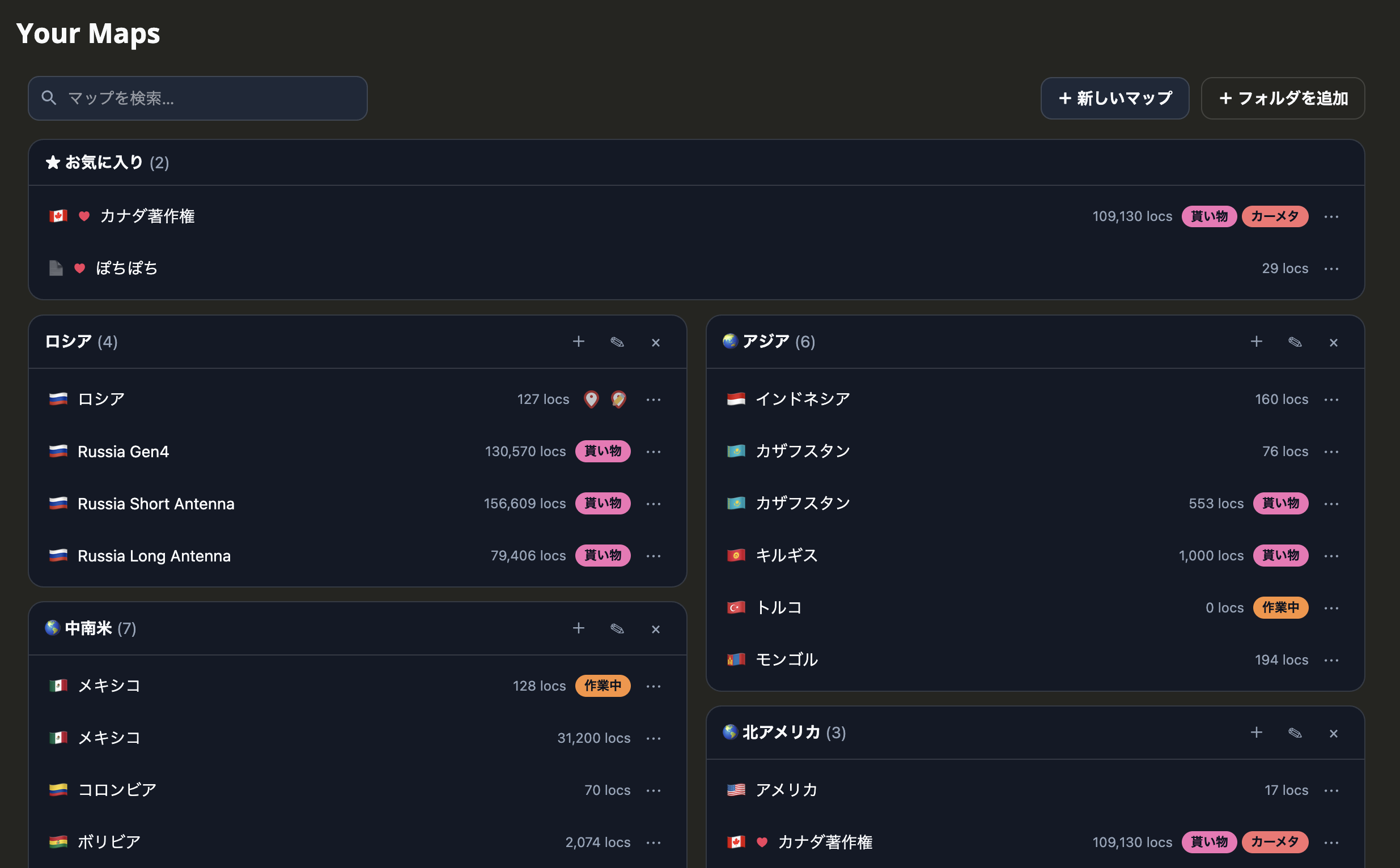
Turn the map list on the home page into cards grouped by folder. Organize them with favorites, country chips, and tags, reorder folders and maps by dragging, and switch back to the original list at any time.
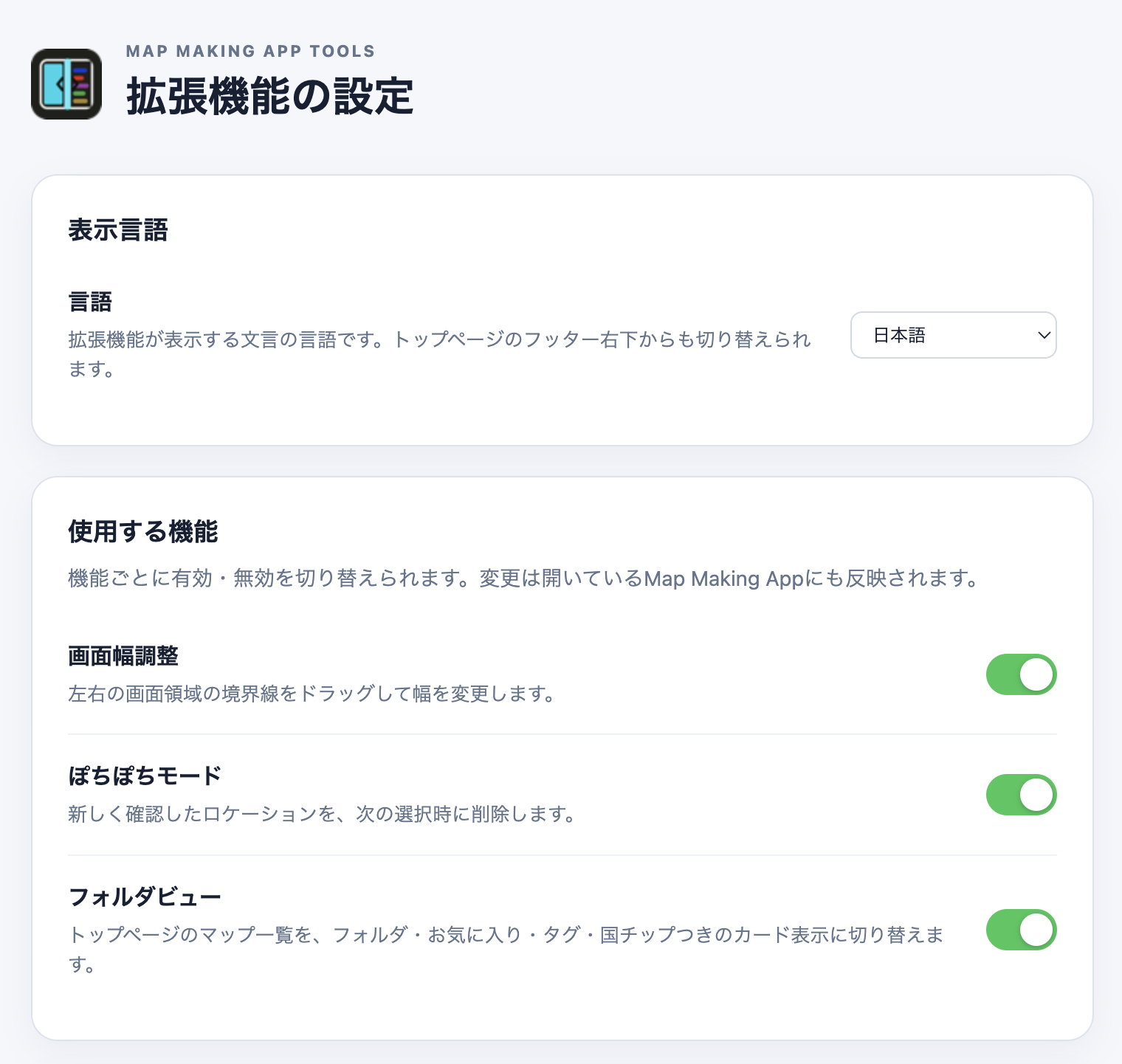
Use Chrome's extension management page to enable or disable screen width adjustment, Pochi-pochi mode, and the folder view independently.
chrome://extensions/
On the same page, enable “Default to ON” to start Pochi-pochi mode in the ON state for map URLs without a saved preference. A setting selected on a specific Map Making App URL is saved for that URL and takes priority over the global default. Saved URL preferences can be reviewed and changed in a scrollable list with partial URL search, then reset individually or all at once after confirmation. On page load, the mode turns on automatically once saved locations can be protected safely.
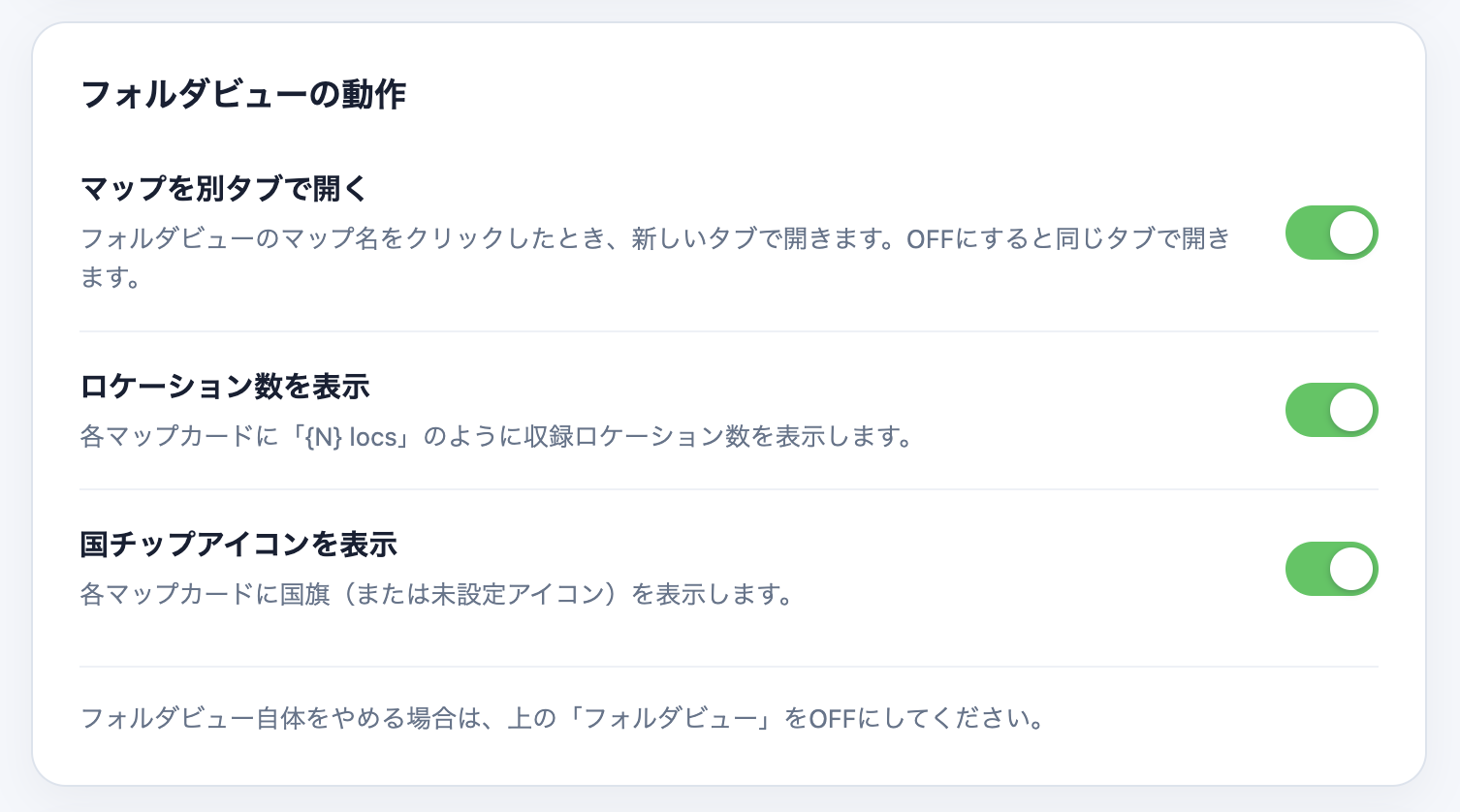
For the folder view you can choose the display language (Japanese or English), whether clicking a map name opens a new tab, and whether map cards show location counts and country chip icons. The language can also be switched from the footer on Map Making App, and either place updates both.
Install it in seconds from the Chrome Web Store.
Location and pano IDs are processed only in page memory while the feature runs. Extension-local storage contains only feature preferences, the global default, the target map URL and its ON/OFF setting, and the folder view's folders, ordering, favorites, countries, tags, and display language; nothing is transmitted externally. See the privacy policy for details.
The source code is available on GitHub so you can inspect how the extension works.
View the source code on GitHub